
VeqSQL · SQL client
実行する前に、確かめる。 Check it before it runs.
VeqSQLは、データベースを安全に扱うためのSQLクライアントです。更新や削除は、対象の行を見て、確認してから実行します。 VeqSQL is a SQL client built for working with databases carefully. Updates and deletes show you the rows they will touch, and run only after you confirm.
UPDATE sales SET amount = amount * 1.1
WHERE department = '営業';
| id | 部門department | 変更前before | 変更後(見込み)after (expected) |
|---|---|---|---|
| 1 | 営業 | 60,000 | 66,000 |
| 4 | 営業 | 51,000 | 56,100 |
図は動作のイメージです。表示内容は実際の画面と異なる場合があります。Illustration of the flow. The actual screen may differ.
画面The app
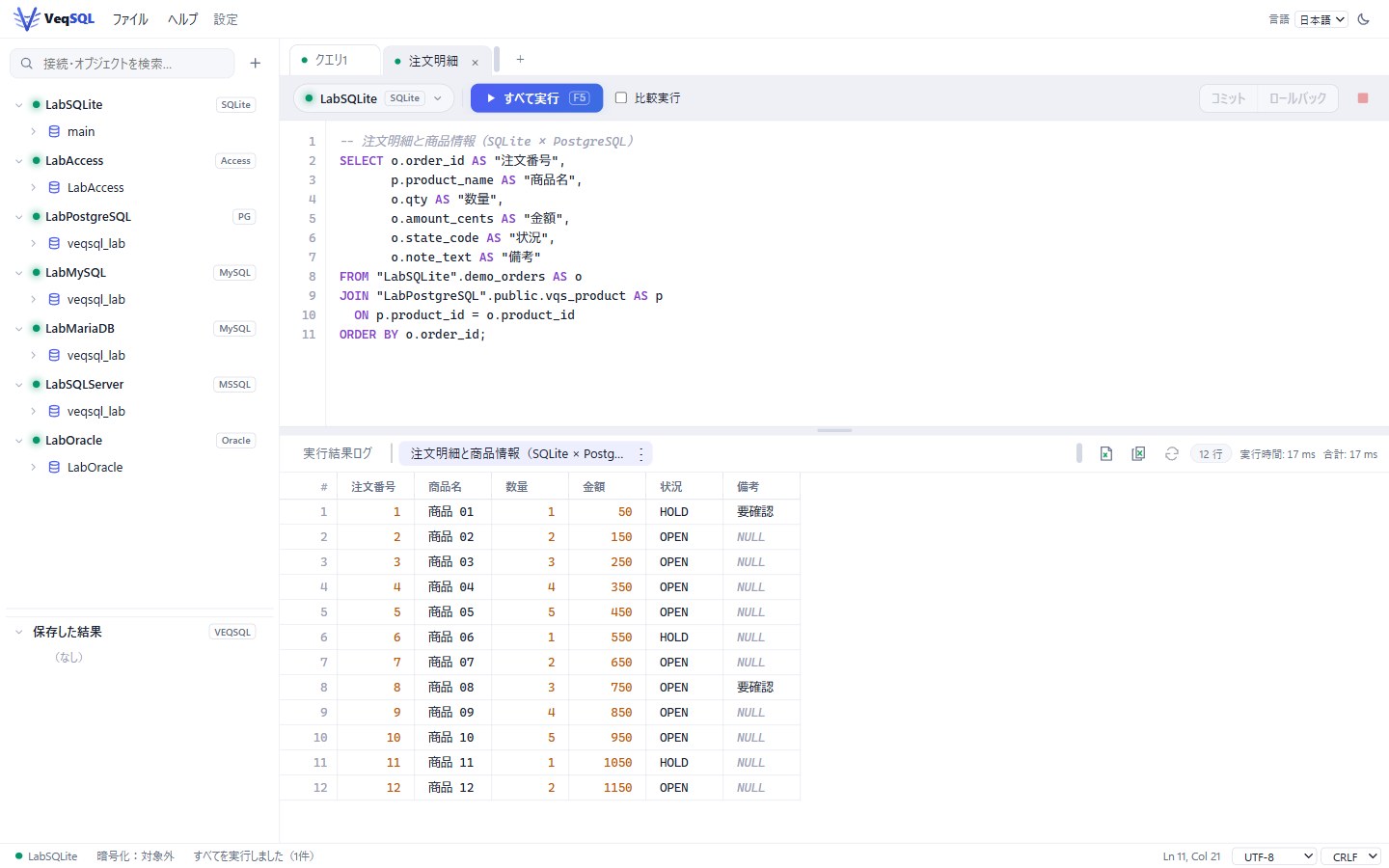
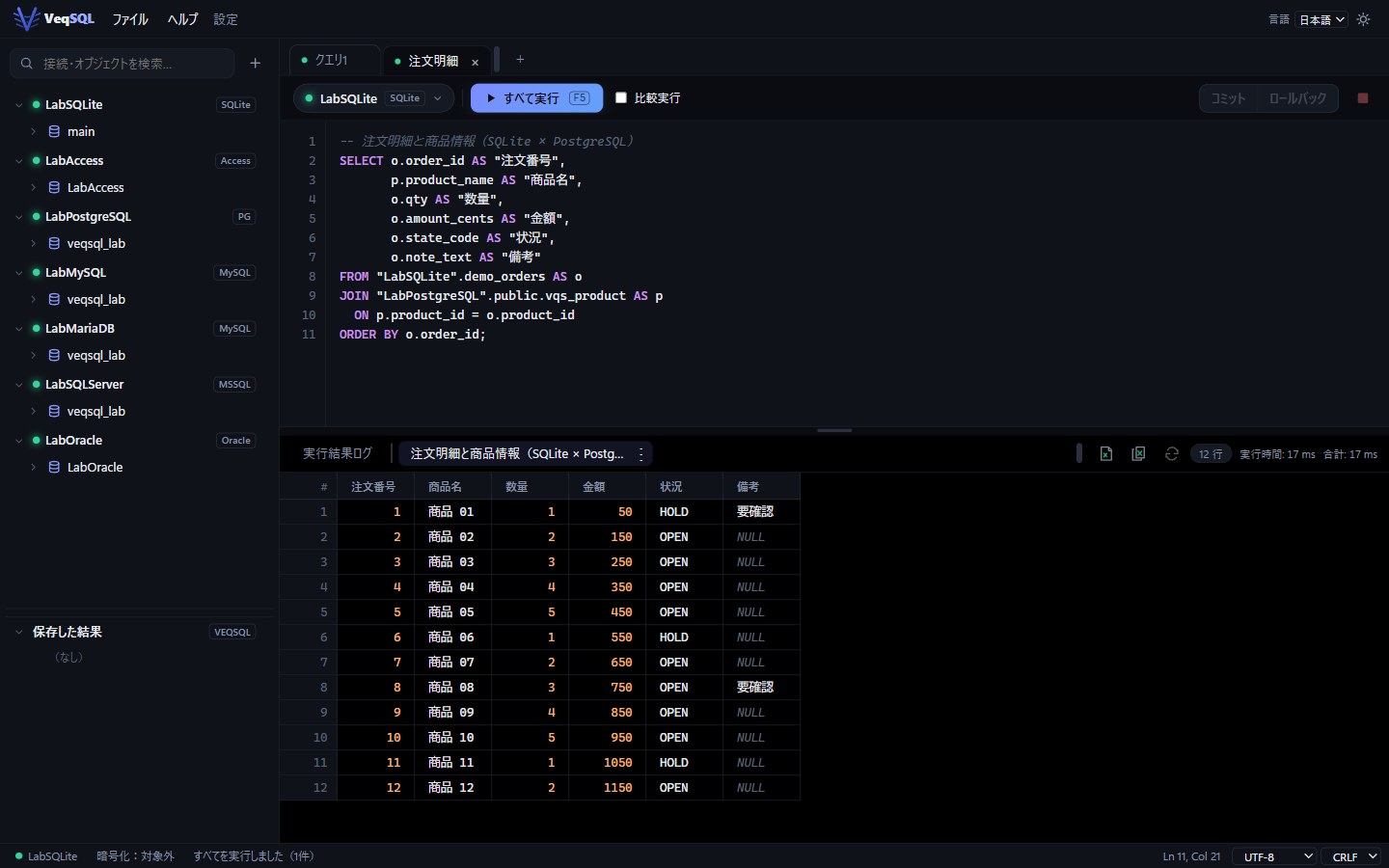
複数のDBを並べて開き、結果をそのまま保存・比較できます。ライトとダークのテーマを選べます。Open several databases side by side, keep results, and compare them. Light and dark themes are included.
名前の由来About the name
「Veq」は、Verify(確かめる)の「Ve」と、Query(問い合わせ)の「q」を合わせた名前です。問い合わせを送る前に、まず確かめる。その姿勢を、そのまま名前にしました。"Veq" joins "Ve" from Verify and "q" from Query. Check first, then send the query: that stance is the name.
ロゴのVは、Verifyの頭文字です。Vを横切る3本の曲線は、データベースの層を表しています。The V in the logo stands for Verify. The three curves crossing it are the layers of a database.
機能Features
間違いに気づく場面を、実行の前に置きました。The moment to catch a mistake is before the statement runs.
01
更新前の確認Review before writes
UPDATE・DELETEは、対象の行と変更後の見込みを表示し、件数を入力して承認します。DROP・TRUNCATEは対象名を入力します。対象件数の上限は設定で変えられます(既定5,000件、無制限も選べます)。承認した内容と異なるSQLや接続では、実行しません。UPDATE and DELETE show the affected rows and the expected result, and ask you to type the row count. DROP and TRUNCATE ask for the object name. The row limit is adjustable in settings (default 5,000, or unlimited). A statement or connection different from the one you approved will not run.
02
比較実行と差分の記録Compare and keep evidence
更新の前後を並べ、変更・追加・削除を色で示します。結果はExcelやHTMLに出力して、作業の記録として残せます。See before and after side by side, with changes, additions and deletions colored. Export the result to Excel or HTML as a record of the work.
03
複数DBの結合Join across databases
別々のDBにあるテーブルを、1つのSQLで結合して参照できます。保存した結果も、結合の対象にできます。Join tables that live in different databases in a single query. Saved results can be joined too.
04
読み取り専用の接続Read-only connections
接続ごとに読み取り専用にできます。SQLite、MySQL、PostgreSQLでは、DB側の設定でも書き込みを防ぎます。Mark any connection read-only. For SQLite, MySQL and PostgreSQL the database itself also refuses writes.
05
暗号化の状態を表示See the real TLS state
PostgreSQL、MySQL・MariaDB、SQL ServerでTLSの方式を選べます。接続後は、設定ではなく実際の暗号化の状態を確認して表示します。Choose the TLS mode for PostgreSQL, MySQL/MariaDB and SQL Server. After connecting, VeqSQL shows the actual encryption state, not just the setting.
06
日常の作業を支える機能Everyday tools
SQLファイルの文字コード・BOM・改行を保って保存。補完、整形、実行計画、SQLの履歴、タブの復元、日本語と英語の表示に対応します。Saves SQL files with their encoding, BOM and line endings intact. Includes completion, formatting, query plans, SQL history, tab restore, and Japanese and English UI.
対応するデータベースSupported databases
- SQLite
- PostgreSQL
- MySQL
- MariaDB
- SQL Server
- Oracle
- Access
利用できる機能と、保護の強さは、データベースごとに異なります。詳しくは、公開時の説明をご覧ください。Available features and the strength of protections vary by database. Details will accompany the release.
安全性への取り組みHow it stays safe
できることと、できないことを、はっきり書きます。What it does, and what it does not do, stated plainly.
Rustで実装Written in Rust
中核はRustで書かれ、メモリ安全を重視しています。中核部分では、unsafeコードを禁止しています。The core is written in Rust with memory safety in mind, and the core crate forbids unsafe code.
通信は、指定したDBだけTalks only to your databases
VeqSQLが接続するのは、あなたが指定したデータベースです。このバージョンには、利用状況の送信、広告、自動更新の通信はありません。VeqSQL connects only to the databases you specify. This version has no usage reporting, advertising or auto-update traffic.
パスワードはOSの資格情報ストアPasswords stay in the OS vault
接続のパスワードは、WindowsやmacOSの資格情報ストアに保存します。接続設定の通常のファイルには書き込みません。Connection passwords are stored in the operating system's credential store, not in the regular connection settings file.
専用DBでの試験Tested on real databases
主要なDBごとに専用のデータベースを用意し、実際の更新・削除・取り消しの動作を確認しながら開発しています。Development is checked against dedicated test instances of each major database, including real updates, deletes and cancellations.
知っておいていただきたい範囲Limits you should know about
- SQL Server、ODBC、Access、Oracleの読み取り専用は、アプリ側の抑止が中心です。DB側の読み取り専用の権限と併せてお使いください。For SQL Server, ODBC, Access and Oracle, read-only mode relies mainly on checks inside the app. Use it together with read-only permissions on the database side.
- 更新前の確認の対象は、SQL本文に直接書かれたUPDATE・DELETE・DROP・TRUNCATEです。ストアドプロシージャや動的SQLの内部は対象外です。Review covers UPDATE, DELETE, DROP and TRUNCATE written directly in the SQL text. It does not look inside stored procedures or dynamic SQL.
- 作業データのバックアップは暗号化されません。SQLや保存した結果が含まれるため、業務データと同じように扱ってください。Backups of your workspace are not encrypted. They contain your SQL and saved results, so handle them like business data.
入手方法Get VeqSQL
Windows版とmacOS版を準備しています。公開されると、このページから各ストアへご案内します。Windows and macOS versions are in preparation. This page will link to each store when they are available.